
Practical guide
How to Find Businesses Without Websites Using Google Maps
Google Maps can help you find local businesses whose listings do not show a website. That absence is a research signal, not a definitive finding. Use this workflow to verify the business and decide whether a website offer would be useful.
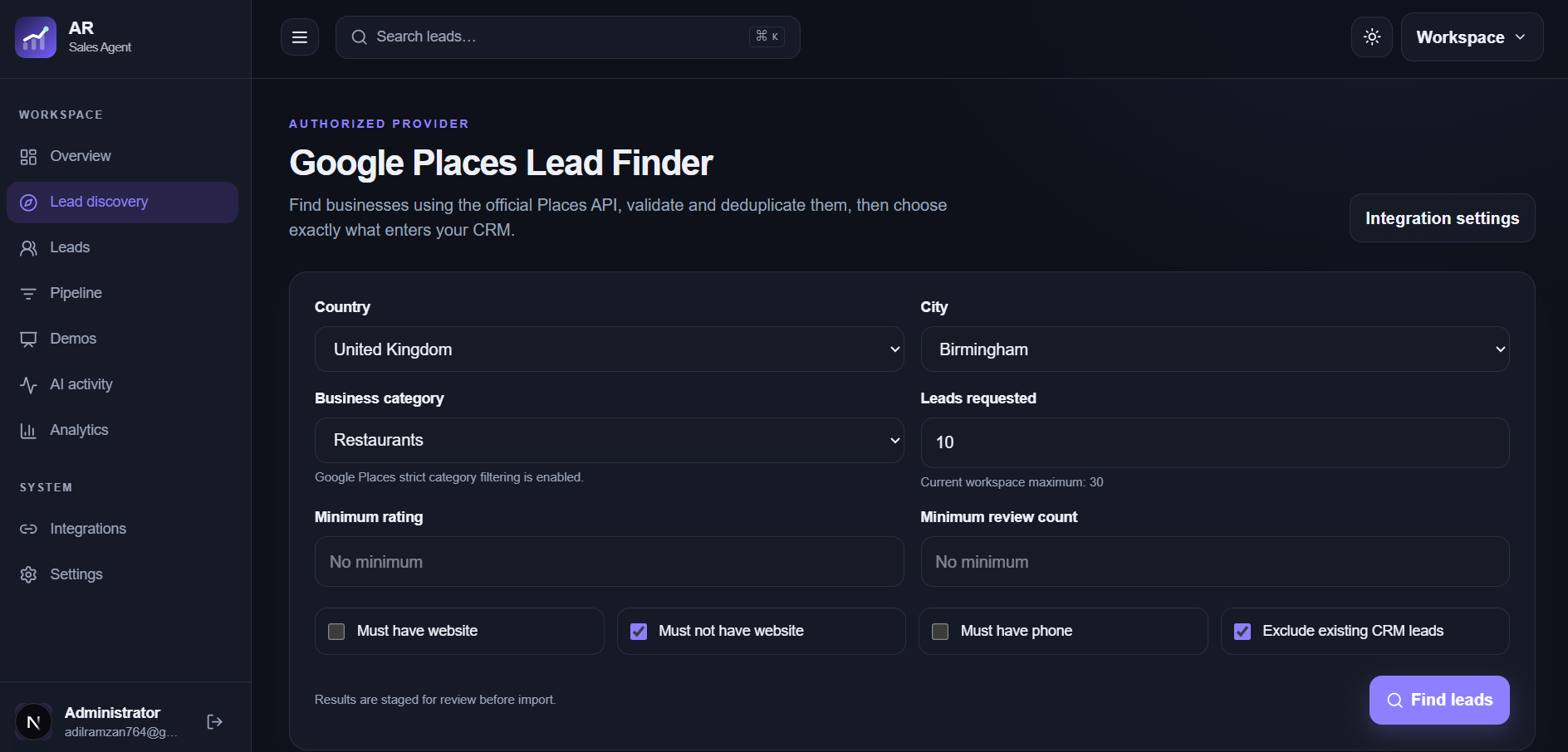
Search a specific category and place
Start with a narrow query such as independent bakeries in Lahore or mobile dog groomers in Manchester. A defined market makes it easier to compare businesses and prepare a relevant offer.
- Pick one city or district and one business category.
- Open each candidate listing and confirm its name and location.
- Save the listing URL or source with your notes.
Check for a missing website link
A listing with no website button is a useful lead for further research. It may reflect an incomplete profile, a site linked from another directory, a social page used as the main presence, or a website that Google has not associated with the listing. Do not tell the owner they have no website until you have checked.
Qualify the business need
Consider what a website could help a real customer do. A bakery might need a menu and enquiry form for custom cakes. A mobile groomer might need service areas and a booking request. If the business already has an effective booking page, a new site may be a low priority.
Find public contact information
Use the listing's public phone or the business's published email and contact page. AR Sales Agent can keep available contact details with the lead and supports email verification when configured. The tool cannot guarantee that every business has a discoverable or deliverable email.
Prepare a useful, respectful outreach message
Make the observation precise: saying you could not find a website link on a Maps listing is safer than saying the business has no website. Mention one possible customer benefit and ask whether the owner wants to discuss it.